
Home / AI Product Photo Editor
AI Product Photo Editor for Ecommerce
Edit product photos fast with an AI background editor: remove backgrounds, change scenes, erase objects, and upscale for crisp, store-ready images.
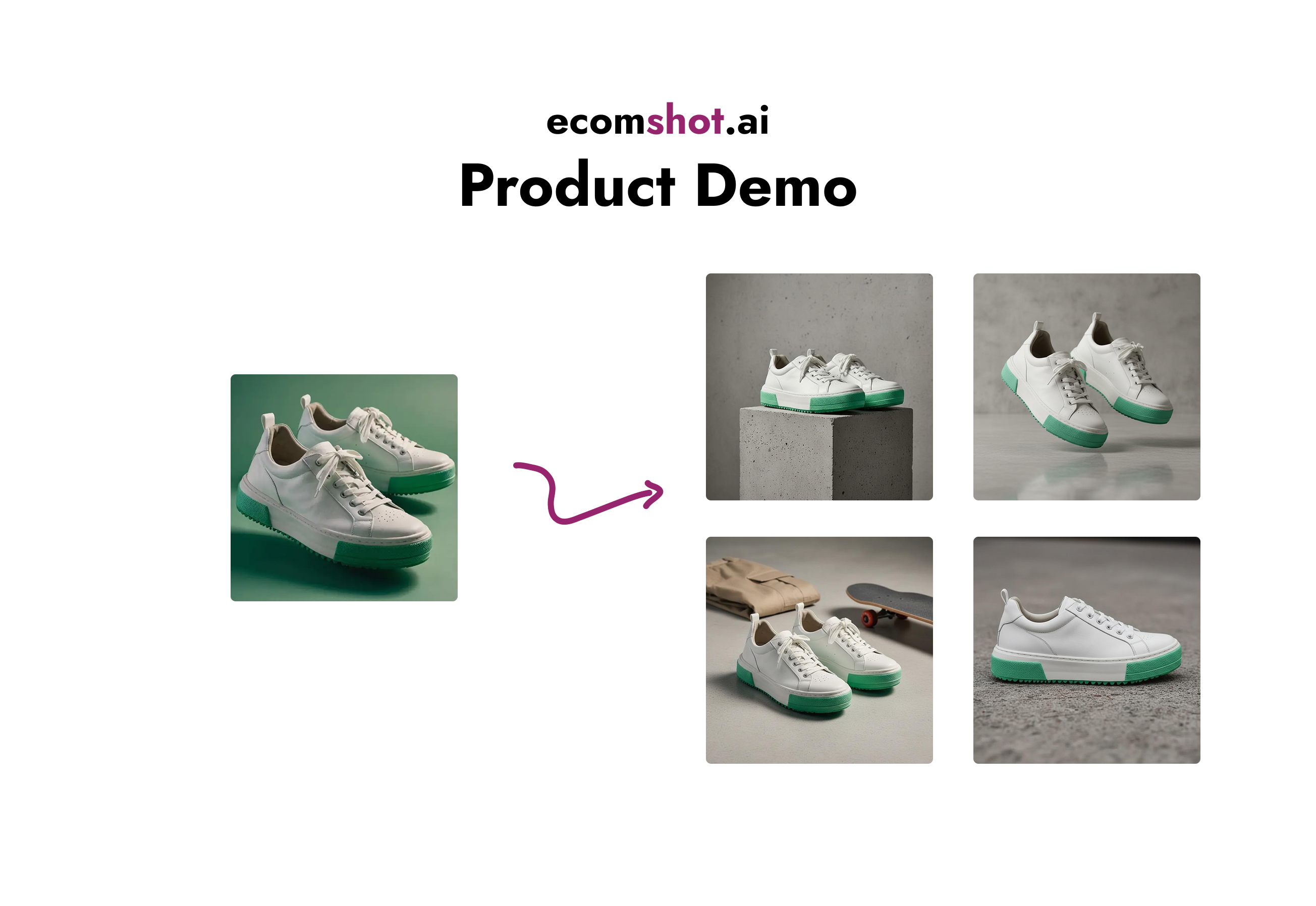
Most ecommerce teams don’t need a complex editor—they need repeatable, high-ROI edits that make listings look consistent and professional. EcomShot works like an AI background editor and cleanup toolkit: clean cutouts, believable scenes, and sharp output.
What you can do
- Remove backgrounds to get clean cutouts (transparent PNG) for marketplaces and ads
- Change backgrounds to create lifestyle scenes and seasonal visuals
- Remove unwanted objects (magic eraser) to clean up images
- Upscale final images for sharper product detail and better zoom
A repeatable editing workflow
- Start with a clear, sharp product image (good lighting, minimal blur).
- Remove the background if you need a clean cutout or white background.
- Generate scene variations (studio + lifestyle) for listings and ads.
- Use magic eraser to remove small distractions.
- Upscale your final selects before exporting.
Best practices for store-ready results
- Keep compositions simple: product centered, minimal clutter, consistent framing.
- Use lighting words (soft diffused, daylight, rim light) to control the look.
- Ask for a realistic shadow so the product doesn’t look like it’s floating.
- Standardize 2–3 “brand looks” across the catalog for consistency.
Popular tools and guides
Background remover guide
Clean cutouts and transparent backgrounds for listings.
Learn more →
Background changer guide
Lifestyle and studio scenes for PDPs and ads.
Learn more →
Image upscaler guide
Sharper product detail for modern screens and ads.
Learn more →
Object remover (magic eraser)
Remove unwanted objects and distractions in seconds.
Learn more →
Prompt gallery
Reusable prompt patterns for consistent outputs.
Learn more →
Product photography by category
Examples and prompt ideas for key categories.
Learn more →
FAQ
Is this a full Photoshop replacement?
EcomShot is built for ecommerce speed: the most common, highest impact edits for listings and ads. For complex compositing or layout work, a full design tool may still be useful.
What input photo works best?
A sharp, well-lit product image with minimal motion blur. Clean edges help with background removal and more realistic results.
Can I export transparent PNGs?
Yes—use the background remover workflow to export clean cutouts that work on any background.
Edit product photos faster
Create consistent, store-ready product images without a studio shoot.